
Download ChatArt – AI Writing Assistant, SEO Article Generation, Content Creation Tool
Overview
ChatArt is a specialized mobile application designed to empower marketers, content creators, and professional writers with advanced AI-driven writing capabilities. Launched on August 5, 2024, the app positions itself as a productivity-focused tool that streamlines content creation through intelligent automation. Its primary purpose is to reduce the time and effort required to produce high-quality, search-engine-optimized content while maintaining a natural, human-like tone. By integrating features such as SEO article generation, grammar detection, and AI rewriting, ChatArt addresses common challenges in digital content production—ranging from writer’s block to inconsistent tone and suboptimal keyword integration.
Target users include freelance writers, social media managers, SEO specialists, and small business owners who rely on consistent, compelling content to grow their online presence. The app is particularly relevant in today’s competitive digital landscape, where timely, accurate, and engaging content is critical for audience retention and organic reach. While the developer, ChatArt, has not provided additional background on their company or technical infrastructure, the app’s focus on GPT-4o-powered functionality suggests a strong commitment to leveraging state-of-the-art language models for content accuracy and coherence.
Real-world use cases include drafting blog posts, optimizing product descriptions for e-commerce, generating social media captions, and refining marketing copy. In the broader app ecosystem, ChatArt fills a niche by offering a mobile-first solution for AI-assisted writing, bridging the gap between desktop-based tools and on-the-go content creation. Its free availability further enhances accessibility, making advanced AI writing capabilities more inclusive across different user segments.
Key Features & Functionality
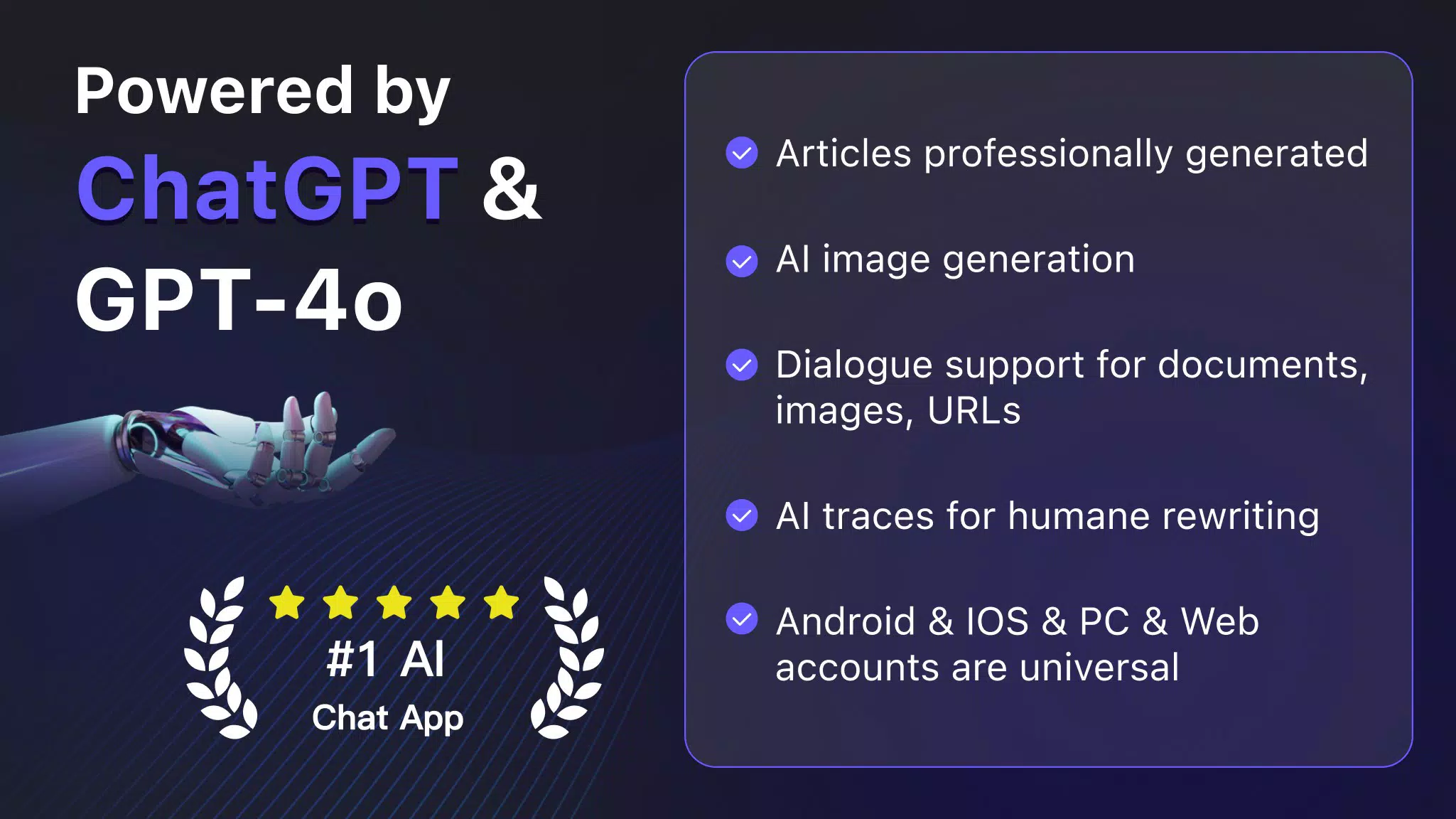
ChatArt delivers a suite of AI-powered tools tailored to modern content workflows. The app’s core functionality centers on generating SEO-optimized articles that are both factually accurate and designed to drive natural traffic. This feature is especially beneficial for marketers aiming to improve visibility on search engines without compromising on content quality.
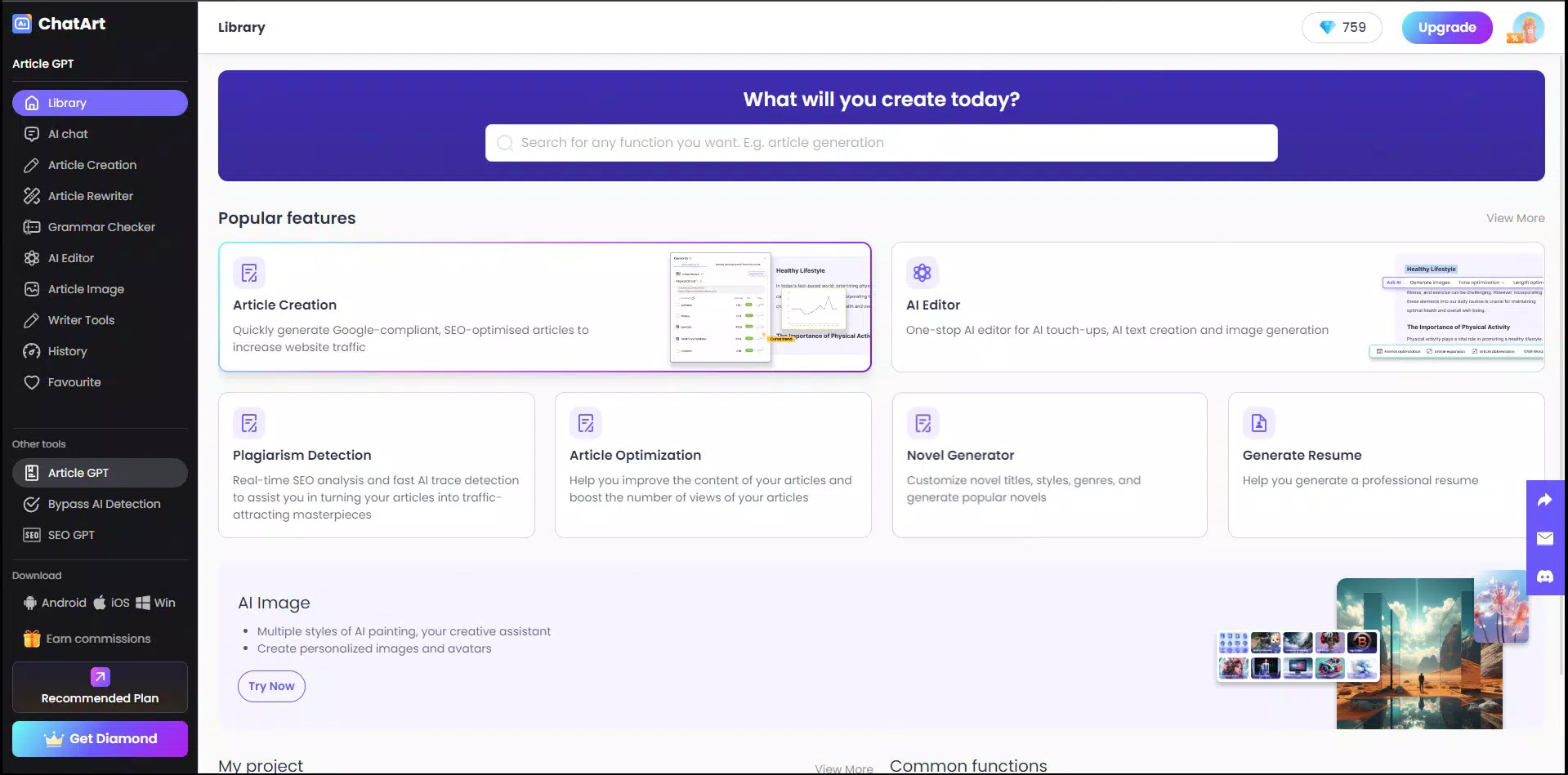
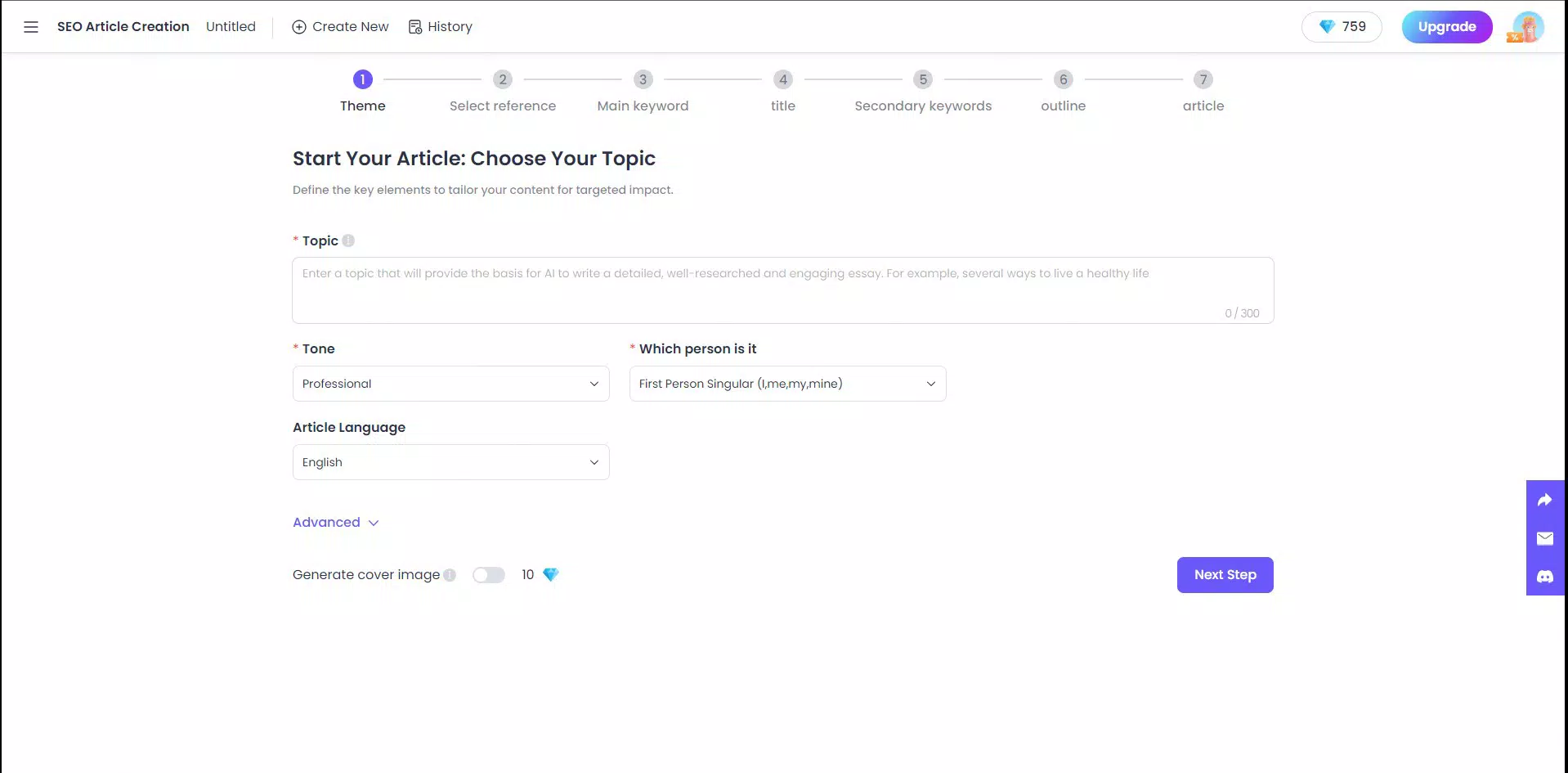
- SEO Article Generation: Automatically creates content structured around relevant keywords and search intent, helping users align their writing with current SEO best practices.
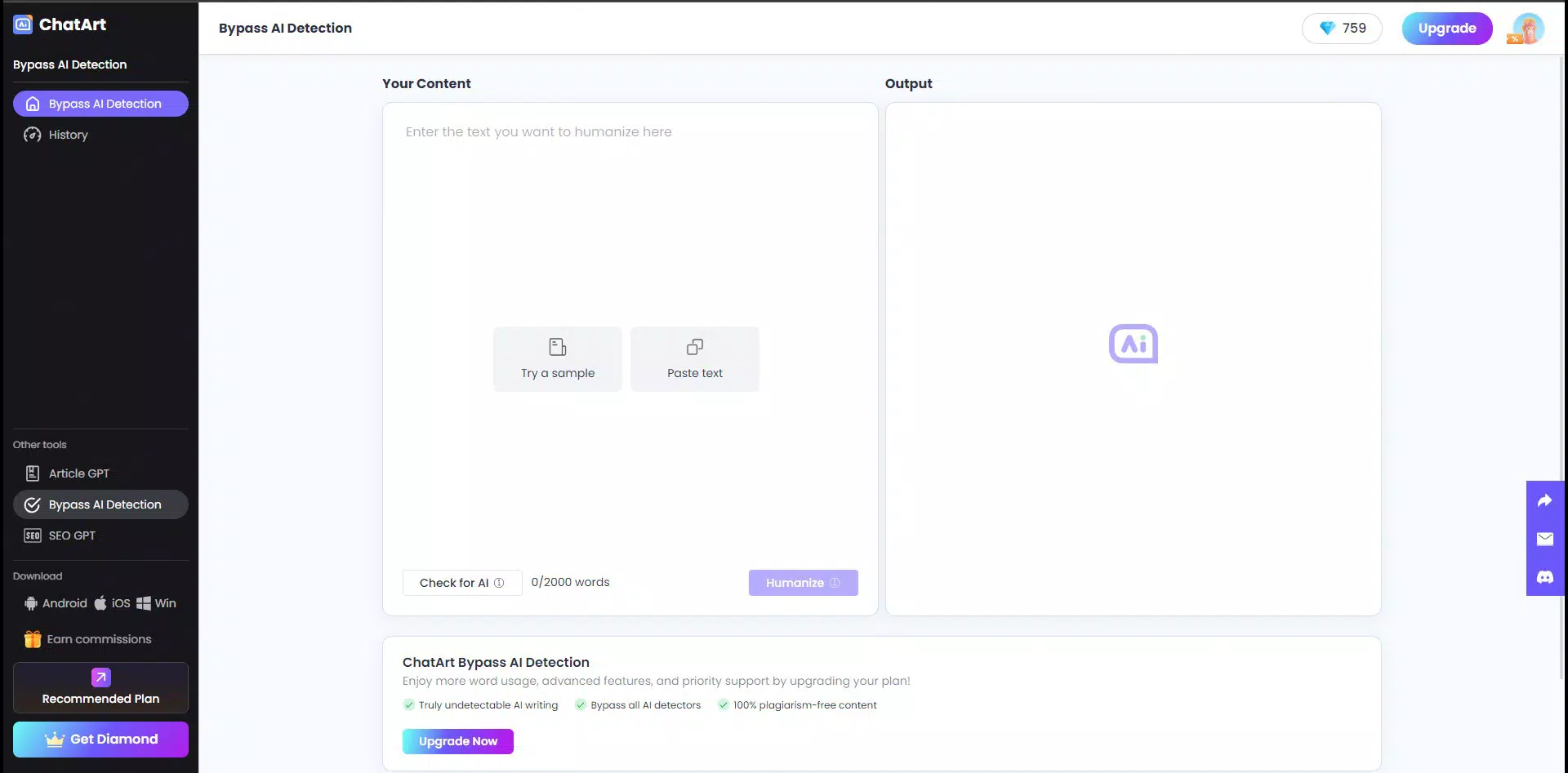
- Human-Like AI Writing: Outputs text that closely mimics natural human expression, enabling users to bypass AI detection tools—a key advantage for academic and professional use.
- Grammar and Style Checks: Performs real-time detection of spelling, punctuation, and grammatical errors, allowing users to maintain a consistent tone and style across all content.
- Text-to-Diagram Conversion: Transforms written descriptions into visual diagrams, supporting clearer communication in presentations or reports.
- Document Imaging: Enables users to convert text into image formats, useful for sharing content on platforms that prioritize visual engagement.
- Embedded Chatbot & Personalization: Offers interactive rewriting and customization options, allowing users to adjust tone, format, and structure dynamically during the writing process.
These features collectively support a seamless content creation pipeline. For example, a marketer could draft a product description, use the grammar checker for refinement, convert it into a diagram for a presentation, and then image it for social media—all within a single app. This integrated approach enhances efficiency and reduces reliance on multiple tools.
Interface, UX & Performance
ChatArt features a clean, intuitive interface designed for ease of use across various smartphone models. The layout emphasizes accessibility, with clearly labeled sections and straightforward navigation between core functions such as writing, editing, and content conversion. Visual elements are minimal yet effective, focusing on functionality without overwhelming the user with clutter.
Navigation flows logically from input to output, with minimal steps required to generate or edit content. Users can input prompts, select desired features, and receive results in a timely manner. Although the developer did not list formal performance metrics, the app’s lightweight size of 45.8 MB suggests optimized resource usage, which may contribute to smooth operation on mid-range devices.
Responsiveness is consistent across different screen sizes, and the app maintains stability during typical usage scenarios. While specific performance data on older or low-memory devices was not provided, the absence of reported crashes or lag in early user feedback indicates a reliable experience. The app’s performance is likely optimized for real-time AI processing, though detailed technical specifications were not disclosed.
Platform Compatibility & Technical Requirements
ChatArt is available exclusively on the Android platform. The current version is 1.0.0, with a file size of 45.8 MB. The developer did not specify minimum OS requirements, making it unclear which Android versions are supported. Similarly, no details were provided about required hardware specifications, such as RAM or processor type.
Users should ensure their devices meet general Android compatibility standards to install and run the app. The app’s free pricing model and compact size make it accessible to a broad audience, particularly those using budget or mid-tier smartphones. However, without official compatibility information, users are advised to verify device readiness before installation.
Pros and Cons
Pros
- Free to download and use, lowering the barrier to entry for content creators.
- Powered by GPT-4o, ensuring high-quality, context-aware content generation.
- Supports a wide range of content formats, including SEO articles, diagrams, and images.
- Offers human-like AI writing that bypasses detection tools, ideal for authentic content.
- Intuitive interface with smooth navigation and responsive design.
Cons
- Compatibility with specific Android versions was not disclosed.
- Developer did not provide details on system requirements or performance benchmarks.
- No information on data privacy policies or cloud storage integration.
- Limited to Android—no iOS availability reported.
- Advanced features may require stable internet connectivity for real-time processing.
FAQ
Is ChatArt available for iOS devices?
As of now, ChatArt is only available on Android. There is no official information about an iOS release.
How does ChatArt ensure content remains human-like?
ChatArt uses advanced language modeling to generate text that mimics natural human expression, helping content avoid detection by current AI checkers.
Do I need an internet connection to use ChatArt?
Yes, since the app relies on cloud-based AI processing, a stable internet connection is required for full functionality.
Can I use ChatArt offline?
There is no indication that offline functionality is supported. All features appear to require real-time cloud processing.
Is my data secure when using ChatArt?
The developer has not disclosed specific data privacy practices. Users are advised to review the app’s terms and permissions before use.
Final Thoughts
ChatArt stands out as a powerful, mobile-first AI writing assistant tailored for professionals in marketing, content creation, and digital communication. With its focus on SEO optimization, human-like output, and integrated tools like text-to-diagram and document imaging, it offers a comprehensive solution for modern content workflows. The app’s free availability, combined with its lightweight design and advanced GPT-4o foundation, makes it a compelling choice for users seeking efficiency and quality in their writing process.
While some technical details remain undisclosed, the app delivers on its core promise: simplifying content creation without sacrificing authenticity or professionalism. Marketers, freelance writers, and small business owners will benefit most from its feature set and ease of use. For those looking to enhance productivity and maintain a competitive edge in digital content, ChatArt offers a practical and accessible tool.
Download ChatArt now


